
Giftful - Gift List & Wishlist
GiftfulShopping
4.8241.00 Reviews
- Version
- 3.2.1
- Installs
- 100.00K
- Age Rating
- Teen
Screenshots
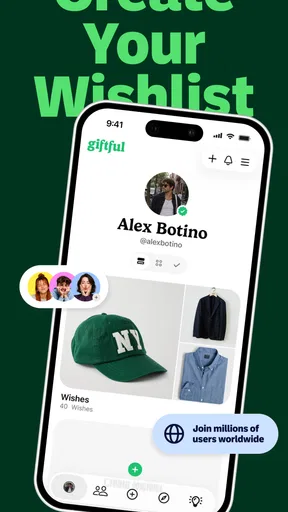
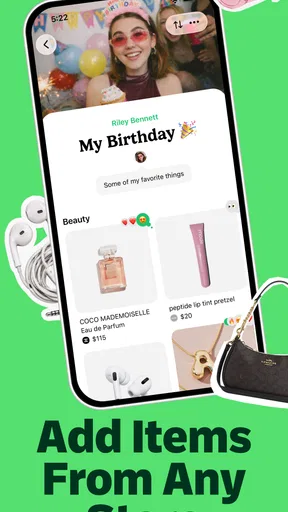
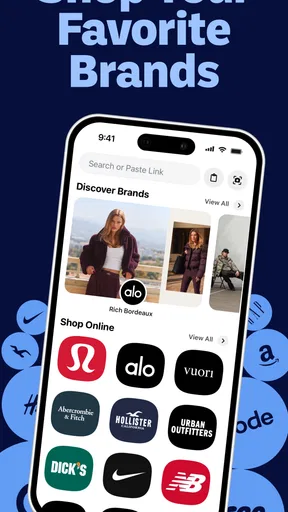
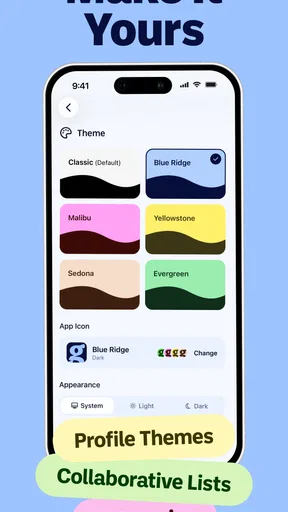
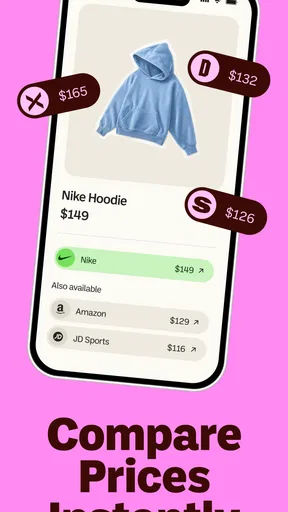
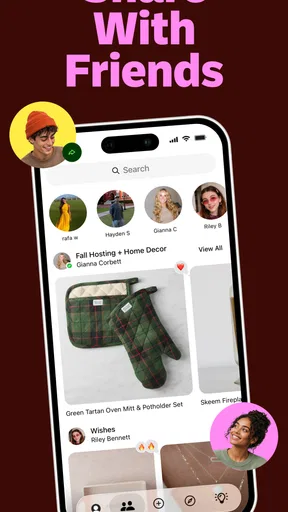
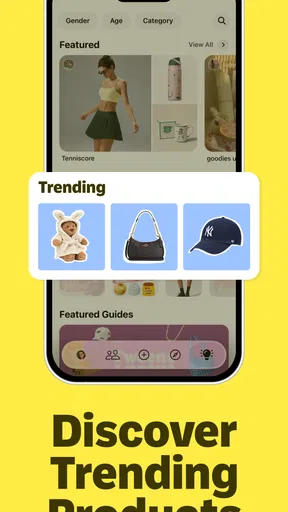
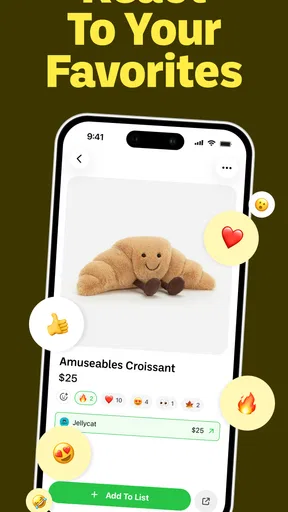
Our Review of Giftful - Gift List & Wishlist
 Analysis by Appyee
Gift lists usually fail for a simple reason: the information is scattered. One person sends a message with a product name, another saves a screenshot, and somebody else quietly buys the same thing. Giftful takes a more focused approach by giving those wishes a shared home. I found its strongest idea to be the way a personal wishlist can become a practical registry that is easy to pass around for birthdays, baby celebrations, and everyday gift planning.
That sounds modest, but it changes the conversation. Instead of asking several people what they want, I can point them toward one organized list. Instead of guessing whether an item is still wanted, a gift-giver has a clearer starting point. The app is free, belongs in the shopping category, and is made by Giftful. Its store rating sits at 4.7 from around 3,400 ratings, with more than 100,000 installs, which suggests that the straightforward idea is connecting with a sizeable group of users.
Why the shared gift-list idea matters
The central capability is not simply writing down things I like. It is creating a list that can be shared with the people who may eventually choose a gift. That distinction matters because a private note and a useful registry solve different problems. A private note helps me remember. A shared list helps other people act without repeatedly interrupting me for clues.
I see the most value when a list has a clear purpose. A birthday wishlist can collect books, clothing, hobby equipment, or small treats. A baby wishlist can gather the practical items that new parents need. A general list can stay available for future occasions. In each case, the app gives the list a social role: it becomes a reference point rather than a forgotten collection of ideas.
There is also a subtle advantage in separating the wish from the conversation. When someone asks me what I want, I do not have to build a custom answer from memory every time. I can direct them to the relevant list instead. That reduces the awkwardness of making suggestions and gives the other person freedom to choose from several options.
The real strength is coordination, not decoration. Giftful is most useful when several people need to understand the same set of gift ideas. If I only want a private place to save shopping links, a browser bookmark folder or a notes app may be faster. The reason to use this app is the shared list itself and the social problem it solves.
Turning a vague idea into a usable wishlist
A weak wishlist is just a pile of product names. A useful one gives the reader enough context to understand why each item is there. When I build a list, I would avoid adding entries such as “headphones” or “blue sweater” without any extra thought. A more helpful entry identifies the kind of item, the preferred style or version, and any detail that prevents an easy misunderstanding.
This is one of the first practical lessons I took from using a dedicated gift-list app: organization is only half the work. The person receiving the list still needs to make choices. If every item is vague, the app cannot remove the uncertainty. I would keep a mixture of specific requests and flexible suggestions, so a gift-giver can either follow the idea closely or use it as inspiration.
For a birthday list, I might group inexpensive wants with a few larger ideas rather than presenting one intimidating collection. For a baby list, I would be especially careful about sizes, colors, and quantities, because a small missing detail can turn a helpful suggestion into an unsuitable purchase. Giftful can make the list easier to share, but the quality of the information still comes from the person creating it.
How I would use it in practice
The basic workflow is easy to understand. I create a list for a particular occasion or need, add the things I would genuinely appreciate, and share it with the intended people. The important step comes before sharing: I would review the list as if I were the recipient of the link or invitation. Is the occasion obvious? Are the items understandable? Does the list contain enough variety for different budgets and tastes?
That final review is more important than it sounds. A list made for close family can include personal shorthand, while a list shared with a wider group should be more self-explanatory. I would also remove ideas that no longer interest me. A stale wishlist creates the same frustration as no wishlist at all, because it gives people confidence in information that may no longer be current.
One useful workflow is to maintain separate lists instead of one enormous collection. A birthday list should not necessarily contain baby-related needs or long-term purchases. Separate lists make the purpose immediately clear and reduce the chance that someone chooses an item meant for a different stage of life or occasion.
I would also treat sharing as a matter of audience. A list for a partner can be more detailed and personal than one for colleagues or distant relatives. The app’s value grows when each list has a clear audience, because the recipient can understand how much freedom they have when choosing.
A realistic birthday example
Imagine I have a birthday coming up and several relatives keep asking what I would like. In the past, I might send three separate messages, forget one person, and later discover that two people bought similar things. With Giftful, I can prepare one birthday list containing a few precise requests and several broader ideas. I share the same destination with everyone who asks.
One relative may choose something from the list immediately. Another may use the suggestions to find a related gift. Someone with a smaller budget can select a simpler item rather than feeling that the list is aimed only at expensive purchases. The important effect is not that the app magically chooses a present; it is that everyone starts with the same information.
There is a social benefit here too. I do not have to negotiate every gift individually, and my relatives do not have to guess whether a suggestion is still relevant. A shared list makes the process less repetitive while preserving the personal choice that makes gift-giving feel thoughtful.
Where a baby wishlist benefits most
A baby wishlist is a particularly strong use case because the number of possible purchases can become overwhelming. Friends and family often want to help, but they may not know which items are genuinely needed, which sizes are appropriate, or what the parents already have. A focused list gives them direction without requiring the parents to answer the same question repeatedly.
I would use separate entries for practical needs and optional ideas. That distinction helps visitors understand what is urgent and what is simply welcome. I would also avoid assuming that every visitor knows the difference between similar baby products. Clear wording is worth the extra minute because it reduces the chance of receiving several versions of something unsuitable.
The trade-off is that a wishlist can never replace a conversation when a purchase depends on personal preferences or changing circumstances. Parents may revise what they need as plans develop. For that reason, I would keep the list current and tell close family when an important priority changes.
How it compares with ordinary alternatives
A notes app is excellent for private brainstorming, but it usually leaves the sharing and occasion structure to the user. A messaging thread is convenient for one quick suggestion, yet it becomes difficult to manage when items are added over time. A spreadsheet can offer more control, but it asks everyone involved to tolerate a more administrative interface.
Giftful sits between those options. It is more purpose-built than a note and less cumbersome than building a registry from scratch in a general productivity tool. That makes it a good fit for people who want a dedicated place for gift ideas without turning the process into a project.
There are situations where another option is better. If I need detailed inventory management, formal purchasing controls, or a highly specialized event registry, I would look for a service designed around that exact requirement. If I never share my lists, a simple notes app may be quicker. Giftful earns its place when the list is meant to be seen and used by other people.
Small habits that make the app work better
My first tip is to create the list earlier than feels necessary. A last-minute list tends to contain whatever comes to mind first, while an older list can be refined as preferences change. That gives me time to remove duplicates, add different types of ideas, and make the wording understandable to someone who does not share my shopping habits.
My second tip is to offer choice without creating noise. A list with only one type of item can be limiting, but a list with too many loosely related ideas can feel like a catalog. I would choose a manageable selection and make each entry earn its place. The goal is to help a gift-giver decide, not to transfer all of my shopping research to them.
My third tip is to think about the person opening the list on a phone. Long explanations and unclear names are harder to scan than short, specific descriptions. I would put the most useful identifying information near the beginning of each item and avoid relying on memory to explain what I meant later.
A fourth useful habit is to keep occasion-based lists distinct. This is especially valuable for families who use the app repeatedly. A birthday list, a baby list, and a general wishlist have different audiences and different levels of urgency. Separating them makes sharing more deliberate and reduces accidental confusion.
Friction and limits I would keep in mind
The app’s simplicity is also its main limitation. A shared list can reduce repeated questions, but it cannot guarantee that every person will use it in the same way. Some gift-givers may still ask for personal advice, and others may prefer to shop independently. I would see the list as guidance rather than a rulebook.
There is also a responsibility on the creator to maintain accurate wishes. If I leave old ideas in place, the list can become misleading. This is not a deal-breaker, but it means the app works best as a living list rather than a one-time setup that I forget about after sharing.
Another trade-off is flexibility versus precision. Very precise requests make shopping easier but can remove the element of surprise. Broad suggestions leave more room for creativity but may produce gifts that miss the mark. I would mix both styles depending on the relationship and the occasion.
People who want a full shopping-management system may find the focused approach too narrow. Giftful is not the tool I would choose simply to track every purchase, compare a large number of products, or manage a complex household inventory. Its purpose is clearer and more personal: helping people communicate what they would like to receive.
Who will get the most from Giftful?
I think this app is especially well suited to people who regularly receive the same question from family and friends: “What do you want?” It is also useful for anyone organizing gifts across a group, where repeated messages can quickly become confusing. Parents preparing a baby wishlist, couples planning shared gift ideas, and families coordinating birthdays are natural users.
It is a good choice for someone who wants a simple, dedicated shopping tool and does not want to learn a complicated registry platform. The free price also makes it easy to try without turning the decision into a financial commitment. The age rating is Teen, so families should still pay attention to how younger users participate and what they add to a list.
I would be less enthusiastic about recommending it to a person who only needs private reminders or who prefers to keep gift choices entirely spontaneous. I would also point heavy-duty shoppers toward a more specialized service if they need detailed tracking rather than shared ideas. The app is strongest when communication is the problem.
Version, availability, and my final view
Giftful is currently listed as version 2.38.1 and supports Android 7.0 or later. Those details make it accessible to people using older compatible Android devices, although the experience will naturally depend on the phone and operating system being used. It is available as a free shopping app, which suits its low-pressure, occasional-use role.
After looking at the way the shared-list concept works, I would recommend it to a friend who wants to make gift planning easier without making it formal or complicated. The app does not eliminate the human part of giving. Instead, it removes some of the avoidable uncertainty around it.
My recommendation is simple: use Giftful when you want your wishes to be clear, shareable, and easy for other people to browse. Keep each list focused, write entries with the recipient in mind, and update ideas that no longer fit. Used that way, it becomes more useful than a scattered note or a long message thread. It is not the right answer for every kind of registry, but for everyday birthdays, baby wishlists, and shared gift planning, its focused approach makes practical sense.
Privacy and Permissions
See what permissions an app requests and how it handles your data.
- Photos/Media/Files
- read the contents of your USB storage, modify or delete the contents of your USB storage
- Storage
- read the contents of your USB storage, modify or delete the contents of your USB storage
- Camera
- take pictures and videos
- Microphone
- record audio
- Wi-Fi connection information
- view Wi-Fi connections
- Other
- view network connections, full network access, run at startup, draw over other apps, control vibration, prevent device from sleeping, Google Play license check
Verdict
Strengths of Giftful - Gift List & Wishlist
- Simple way to create and share gift wishlists.
- Useful for organizing ideas for birthdays and special occasions.
- Helps avoid duplicate gifts among family and friends.
- Supports collaborative planning with people you trust.
- Can make gift preferences clearer without awkward conversations.
Limitations of Giftful - Gift List & Wishlist
- Requires recipients to use the app for the best experience.
- Some features may depend on account registration.
- Wishlist usefulness depends on keeping items updated.
- Product availability and prices can change after saving items.
- Privacy settings should be checked before sharing a list.
Similar Picks in This Category
View All
SHEIN-Shopping Online
Roadget Business PTE. LTD.4.8

Amazon Shopping
Amazon Mobile LLC4.4


Mercado Libre: Compras online
Mercado Libre4.8

Wish: Shop and Save
Wish US Holdings LLC4.7

Alibaba.com - B2B marketplace
Alibaba Mobile4.4
Frequently Asked Questions
What is Giftful - Gift List & Wishlist used for?
Giftful is designed to help you create, organize, and share gift lists or personal wishlists. You can add items you would like to receive, include product details and links, and share the list with friends or family. It can be useful for birthdays, holidays, weddings, baby showers, and other occasions where coordinating gift ideas is helpful.
How do I create and share a wishlist in Giftful?
After installing Giftful, you can create a list for a specific occasion or general shopping ideas, then add gifts by entering information manually or saving products through available sharing options. Once your list is ready, you can share it with selected people using a link or the app’s supported sharing features. Recipients can view the suggestions without needing to guess what you want.
Can Giftful connect to online stores and product links?
Giftful is primarily intended to organize gift ideas from different sources rather than function as a store itself. Product pages or links can generally be added to a list so friends and family can open the original retailer page for more information. Availability, pricing, shipping, and checkout are handled by the external store, so those details may change after an item is saved.
Can other people reserve or mark gifts as purchased?
A key benefit of a shared wishlist is reducing duplicate gifts. Depending on the list’s current features and sharing settings, people viewing a list may be able to indicate that an item has been reserved or purchased. This helps coordinate with other gift-givers while keeping the surprise from the person who created the list. Always review privacy and visibility options before sharing.
Is Giftful free, and what should I know about privacy?
Giftful may offer its core wishlist features at no cost, although optional features, account requirements, or changes to the service can vary by platform and app version. Before creating or sharing lists, check the current store listing and in-app terms for subscriptions or purchases. Avoid adding sensitive personal information, and only share lists with people you trust.
